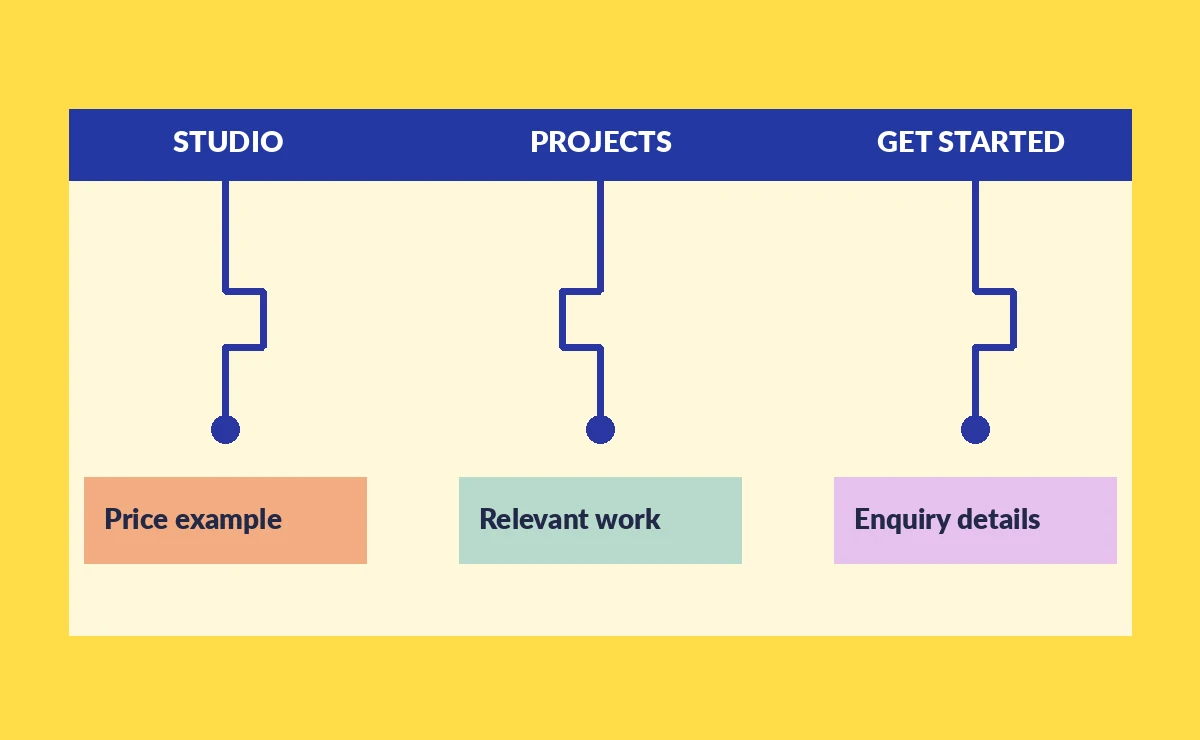
Imagine you are building a website for a sign painter. The menu says Studio, Projects and Get Started. All three sound reasonable on a design board. Ask someone where they would look for a rough price on a painted shop window and the labels have to do some work.
Give the visitor a job
You can do this with a clickable prototype or an existing site. Start each person on the homepage. Give one task at a time and listen for what they expect to find when they choose a link. The GOV.UK Service Manual recommends clear, neutral instructions and observing people as they attempt specific tasks. Avoid using your current menu labels inside the prompts.
| Ask the visitor | Record the first choice | Check the destination |
|---|---|---|
| You are budgeting for a window sign. Find a starting figure to plan around. | Which link or menu did they choose? | Did they find a price example? |
| Your shop has a curved window. Find a previous job on a similar surface. | Where did they expect examples? | Could they identify a relevant project? |
| Your opening is in six weeks. Find out what details the painter needs to discuss the job. | What did they pick to make contact? | Could they tell what to send? |
Fix the moment they got stuck
Suppose two visitors pick Projects for the price task. Both say they expect each past job to show a price. They find photographs and keep looking. Try adding an honest example price to a relevant project and including a direct menu route if price is a frequent task. You have evidence about where these visitors looked and what they expected to see.
Suppose instead someone chooses Get Started immediately and sees a form that asks for a full design brief. They were still trying to find out what to send. In that session the link led them to a plausible place. Simplify the explanation before the form and run the task again. The first click and the outcome give you two chances to identify what needs changing.